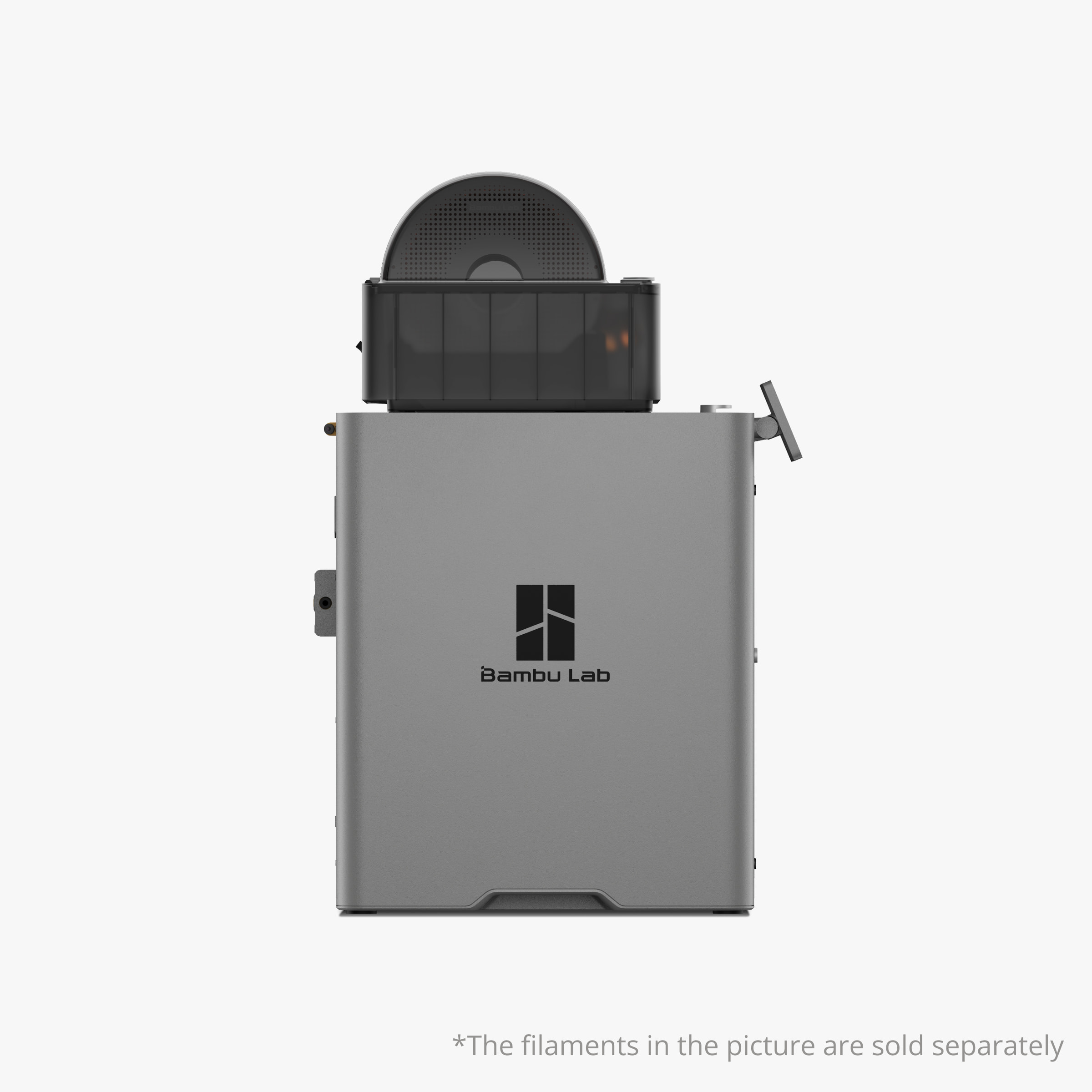
The Bambu Lab P2S Combo is a professional-grade 3D printing solution that integrates the P2S 3D printer and AMS 2 Pro filament management system for precision, speed, and versatility. Designed for both professionals and advanced makers, this all-in-one combo offers multi-material printing, automatic filament drying, AI-based print monitoring, and a fully enclosed chamber for exceptional results across various materials including PLA, ABS, PETG, and carbon fiber composites.
Version: Global.
Features:
- 5-inch high-resolution touch screen for intuitive control
- AI failure detection for real-time error prevention
- Automatic flow dynamics calibration for consistent extrusion
- Multi-color and multi-material printing capability with AMS 2 Pro
- Cold-air cooling and adaptive airflow control for better layer quality
- Active venting filament drying system to maintain filament performance
- 256×256×256 mm³ large print volume suitable for industrial and creative projects
- 1080p live camera monitoring for remote supervision
- Fully enclosed build chamber for stable temperature and improved print reliability
- CoreXY motion system for high-speed, high-precision movement
- Servo-driven extruder with hardened steel nozzle for long-lasting durability
How It Works:
The P2S Combo operates with a dual-system synergy between the printer and AMS 2 Pro. The AMS 2 Pro holds up to four filaments simultaneously, allowing for automatic color changes and material switching during printing. It also maintains an ideal humidity level with built-in filament drying, ensuring smooth extrusion and reduced nozzle clogging.
The AI-powered control system continuously monitors print conditions, detecting filament runout, tangles, or layer inconsistencies. When an issue arises, it automatically pauses or adjusts the print process to prevent waste and ensure print success.
Benefits:
- Professional-quality prints with minimal supervision
- Reliable filament management with automatic drying and switching
- Reduced material waste with intelligent error detection
- Quiet operation suitable for office, studio, or lab environments
- Versatile material support for hobby, prototype, and industrial printing
- User-friendly interface with an easy-to-navigate 5-inch touchscreen
Applications:
- Industrial prototype development
- Multi-color model creation
- Functional mechanical part production
- Educational and research projects
- Architectural modeling
- Custom design manufacturing
Specifications:
- Printing Technology: Fused Deposition Modeling (FDM)
- Build Volume: 256 × 256 × 256 mm³
- Chassis Material: Plastic and Steel
- Outer Frame: Plastic and Glass
- Physical Dimensions: 392 × 406 × 478 mm³
- Package Size: 490 × 490 × 560 mm³
- Weight (Printer Only): Net 15.0 kg / Gross 18.58 kg
- Weight (P2S Combo with AMS 2 Pro): Net 16.4 kg / Gross 21.33 kg
- Extruder Gear: Hardened Steel
- Nozzle: Hardened Steel
- Maximum Nozzle Temperature: 300°C
- Included Nozzle Diameter: 0.4 mm
- Supported Nozzle Diameters: 0.2 mm, 0.4 mm, 0.6 mm, 0.8 mm
- Filament Cutter: Built-in
- Filament Diameter: 1.75 mm
- Extruder Motor: High-precision Permanent Magnet Synchronous Motor
- Build Plate: Flexible Steel Plate
Usage Instructions:
- Place the printer on a flat, vibration-free surface.
- Connect power and initialize using the touch screen.
- Load up to four filaments in the AMS 2 Pro for multi-color printing.
- Calibrate automatically using the built-in flow dynamics feature.
- Start printing via SD card, USB, or Wi-Fi.
- Monitor progress through the live camera feed or touchscreen interface.
- Allow prints to cool before removing from the flexible build plate.
Maintenance Tips:
- Keep the AMS 2 Pro’s filament storage clean and dry.
- Regularly check and clean the nozzle to prevent clogging.
- Use the AI diagnostic tool to identify performance issues early.
- Update firmware periodically for optimized performance.
- Store filaments in airtight containers when not in use.
bambu lab p2s combo, bambu lab p2s, bambu lab 3d printer bangladesh, bambu lab p2s combo price in bangladesh, multi-color 3d printer, 3d printer with filament dryer, professional 3d printer, ai failure detection 3d printer, corexy 3d printer, bambu lab p2s specs, 3d printer for industrial use, multi-material 3d printer, large volume 3d printer, 3d printer for engineering students, filament management system, high precision 3d printer, 300 degree nozzle 3d printer, automatic calibration 3d printer, best 3d printer in bangladesh, bambu lab official 3d printer, 3d printing machine for prototype development




 Pick up from Enzotech Store
 Courier delivery




 Warranty Covered

 Overview
 Processor
 Display
 RAM
RAM
 Storage
 Video Card
 Connectivity
 Features
 Battery
 General
Reviews
Clear filtersThere are no reviews yet.